重要公告
加入我们的 Telegram 群组以获取最新消息和支持!
📢 点击这里加入 TG 群
如需帮助,请联系唯一客服:
🤖 点击这里联系客服
按照步骤进行,理论上日主题全系列都可以授权,只测试了ripro-v5子主题,其他子主题自行测试(可能需要修改一下代码)
1、Nginx配置文件添加伪静态规则
# 屏蔽RiTheme授权验证请求 location ~* (ritheme\.com|verify_license|check_update|auth\.php|license\.php) { access_log off; log_not_found off; return 444; }屏蔽主题的授权检查API端点
location ~* (wp-admin/admin-ajax.php?action=theme_ajax_activ) {
access_log off;
return 200 '{"success":true,"data":"授权验证成功"}';
}屏蔽主题更新检查
location ~* (api.wordpress.org/themes/update-check) {
access_log off;
content_by_lua_block {
ngx.header.content_type = 'application/json';
ngx.say('{"themes":{}}');
}
}
这个伪静态规则放到Nginx配置文件的server里面,或者单独放到网站的伪静态也可以
2、复制下面的全部代码粘贴到 functions.php 文件最底部
// 强制授权激活 add_action('admin_footer', 'fix_ritheme_license_activation_ui'); function fix_ritheme_license_activation_ui() { if (isset($_GET['page']) && $_GET['page'] === 'ripro' && isset($_GET['tab']) && $_GET['tab'] === '主题授权') { // 获取当前站点信息 $siteurl = get_option('siteurl'); $option_key = md5('riprov2_license_data'.$siteurl);// 检查是否已授权 $is_activated = !empty(get_option($option_key)); // 如果未授权,自动填充并提交 if (!$is_activated) { ?> <script> jQuery(document).ready(function($) { // 自动填充表单 $('#theme_lic_id').val('88888888'); $('#theme_lic_key').val('wukongymw.com'); // 创建弹窗容器 $('body').append(` <div id="license-success-modal" style="display:none;position:fixed;top:0;left:0;width:100%;height:100%;background:rgba(0,0,0,0.7);z-index:99999;"> <div style="position:absolute;top:50%;left:50%;transform:translate(-50%,-50%);background:#fff;padding:30px;border-radius:5px;text-align:center;max-width:500px;"> <h2 style="color:#4CAF50;">🎉 授权激活成功!</h2> <p style="margin:20px 0;font-size:16px;">主题授权已成功激活,页面即将刷新...</p> <div style="margin:20px 0;text-align:left;background:#f9f9f9;padding:15px;border-radius:4px;"> <p><strong>授权ID:</strong> 88888888</p> <p><strong>授权密钥:</strong> wukongymw.com</p> <p><strong>到期时间:</strong> 永久有效</p> </div> <button id="confirm-refresh" style="background:#4CAF50;color:#fff;border:none;padding:10px 20px;border-radius:4px;cursor:pointer;">立即刷新</button> </div> </div> `); // 自动提交表单 setTimeout(function() { $('#theme_act_btn').click(); }, 1000); // 监听授权按钮点击 $('#theme_act_btn').on('click', function() { var btn = $(this); var originalText = btn.text(); // 显示加载状态 btn.text('激活中...').prop('disabled', true); // 发送AJAX请求 $.ajax({ url: ajaxurl, type: 'POST', data: { action: 'theme_ajax_activ', id: $('#theme_lic_id').val(), key: $('#theme_lic_key').val() }, success: function(response) { if (response.success) { // 显示成功弹窗 $('#license-success-modal').fadeIn(); // 5秒后自动刷新 setTimeout(function() { location.reload(); }, 5000); // 立即刷新按钮 $('#confirm-refresh').on('click', function() { location.reload(); }); } else { alert('激活失败: ' + response.data); btn.text(originalText).prop('disabled', false); } }, error: function() { alert('请求失败,请重试'); btn.text(originalText).prop('disabled', false); } }); }); }); </script> <?php } else { // 如果已授权,显示成功状态 ?> <script> jQuery(document).ready(function($) { // 移除激活表单 $('.theme-license-warp').remove(); // 显示授权成功状态 $('.csf-field-callback').html(` <div class="theme-license-success"> <div class="license-success-header" style="background:#4CAF50;color:#fff;padding:15px;border-radius:4px 4px 0 0;"> <h3 style="margin:0;">🎉 主题授权已激活</h3> </div> <div style="padding:20px;border:1px solid #e5e5e5;border-top:none;border-radius:0 0 4px 4px;"> <div style="display:flex;margin-bottom:15px;"> <div style="flex:1;padding:10px;background:#f9f9f9;margin-right:10px;border-radius:4px;"> <strong>授权ID:</strong> <p>88888888</p> </div> <div style="flex:1;padding:10px;background:#f9f9f9;border-radius:4px;"> <strong>授权密钥:</strong> <p>wukongymw.com</p> </div> </div> <div style="background:#e8f5e9;padding:15px;border-radius:4px;border-left:4px solid #4CAF50;"> <p style="margin:0;"><strong>状态:</strong> 已激活 | <strong>有效期:</strong> 永久</p> </div> <p style="margin-top:20px;color:#666;font-size:14px;"> 授权信息已激活并安全存储,修改域名需要重新激活。 <br>如需帮助,请访问 <a href="https://ritheme.com/" target="_blank">RiTheme官网</a> </p> </div> </div> `); }); </script> <?php } }}
// 劫持AJAX授权请求(确保返回正确响应)
add_action('wp_ajax_theme_ajax_activ', 'custom_ritheme_license_ajax', 1);
function custom_ritheme_license_ajax() {
// 获取POST数据
$id = isset($_POST['id']) ? sanitize_text_field($_POST['id']) : '';
$key = isset($_POST['key']) ? sanitize_text_field($_POST['key']) : '';// 验证数据 if (empty($id) || empty($key)) { wp_send_json_error('请填写授权ID和密钥'); } // 强制设置为我们的授权信息 $id = '88888888'; $key = 'wukongymw.com'; // 模拟授权文件中的处理逻辑 $siteurl = get_option('siteurl'); $theme_dir = get_template_directory(); $token_file = $theme_dir.'/functions.php'; // 生成ID和Key(固定值) $password = md5($id.'ripro-v5'.$key); $token = wp_hash_password($password); $token = base64_encode($token); // 更新主题令牌 if (file_exists($token_file)) { $file_content = file_get_contents($token_file); $file_content = preg_replace('/\'\_THEME_TOKEN\', \'(.*?)\'/', '\'_THEME_TOKEN\', \''.$token.'\'', $file_content); file_put_contents($token_file, $file_content); } // 更新数据库选项 $option_key = md5('riprov2_license_data'.$siteurl); $transient_key = md5($siteurl.'_license_tasks'); $password = md5(md5($siteurl)); $data = json_encode(['id' => $id, 'key' => $key]); $data = openssl_encrypt($data, 'AES-256-CBC', $password, 0, '0123456789abcdef'); $data = base64_encode($data); update_option($option_key, $data, true); delete_transient($transient_key); set_transient($transient_key, '1'); // 设置其他授权选项 update_option('riprov2_license_status', '1'); update_option('riprov2_license_key', $key); update_option('riprov2_license_key_id', $id); update_option('riprov2_license_key_status', 'valid'); update_option('riprov2_license_key_expire', date('Y-m-d', strtotime('+10 years'))); // 返回成功响应 wp_send_json_success('悟空源码网提醒您:激活成功!');}
// 防止主题重置授权状态
add_filter('pre_set_site_transient_update_themes', function($transient) {
if (isset($transient->response['ripro-v5'])) {
unset($transient->response['ripro-v5']);
}
return $transient;
});
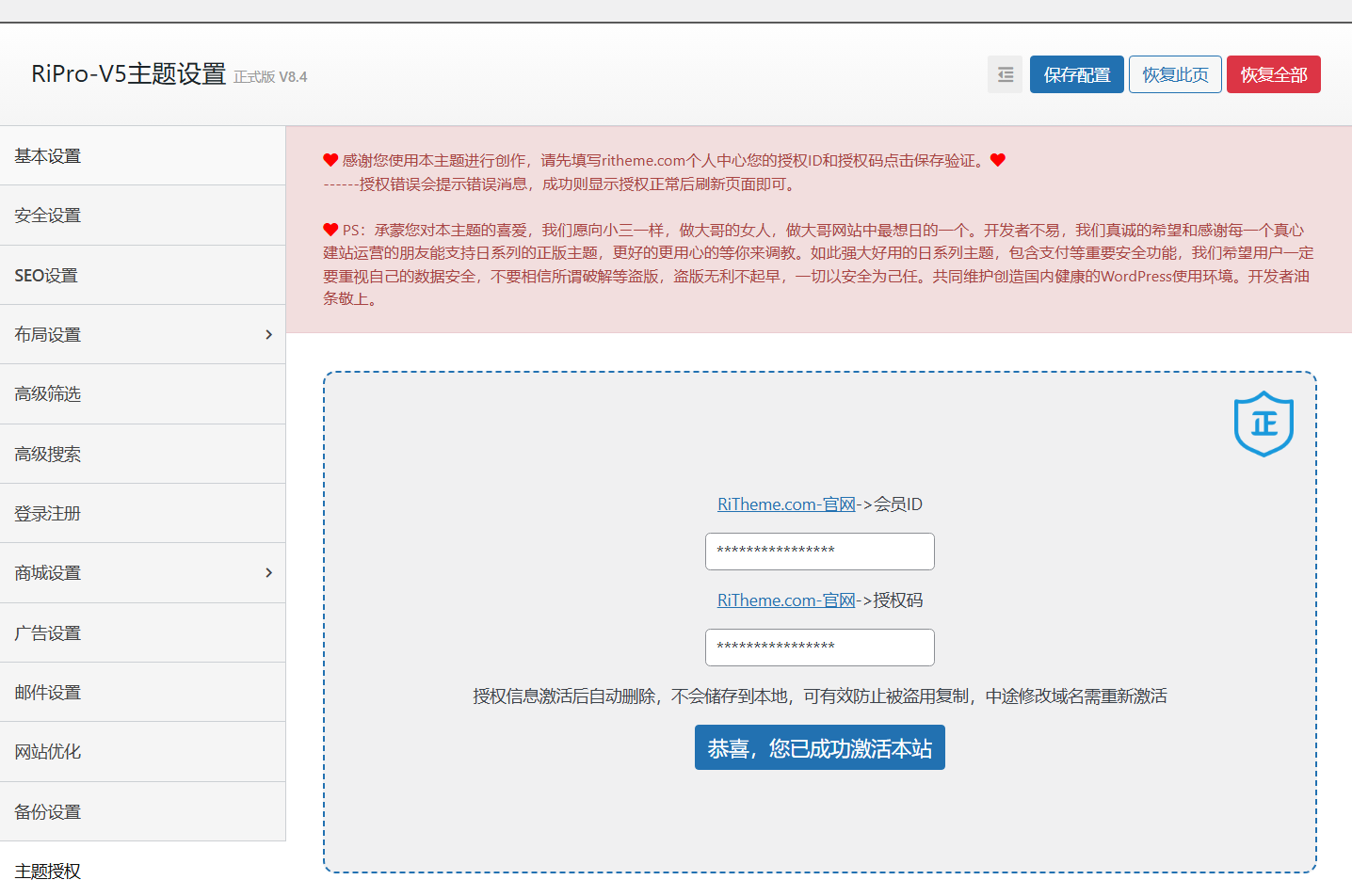
3、在后台授权页面输入id:88888888、key:wukongymw.com 点击授权,授权后手动刷新网页就可以了
如果授权后过一段时间还有提示,要么重复第三点步骤,要么直接修改hosts文件屏蔽授权服务器
4、修改hosts文件屏蔽授权服务器
# /etc/hosts 修改并重启服务器
127.0.0.1 ritheme.com
127.0.0.1 api.ritheme.com
127.0.0.1 license.ritheme.com